Portico takes tablets off-screen

Getting really hands-on with computer games.

(Credit:Video screenshot by Eric Smalley/CNET)

Someday we may say size doesn’t matter fortablets. Researchers from Intel, Microsoft, and the University of Washington have extended the interactive action beyond the tablet screen to the surface where a tablet computer sits.

Portico is similar to existing tabletop computing systems like Microsoft’s Surface that recognize gestures and real-world objects, but is more portable and affordable. It re-creates the tabletop experience on a tablet by breaking free of the confines of the tablet’s screen.

The system features a pair of downward-facing cameras mounted on stalks affixed to the back edge of a tablet. The cameras enable the system to see the tablet’s screen and the surface around the tablet. Portico’s augmented-reality software recognizes objects on and near the tablet. This allows interaction to be both on and off the tablet. (See the video below.)

The researchers are aiming to use Portico for education and entertainment applications. One app is a version of the venerable arcade game Asteroids. The player controls the onscreen spaceship by moving a toy spaceship on the surface in front of the tablet.

In another app, a player takes a soccer penalty shot by rolling a golf-ball-size soccer ball on the surface. When the ball hits the front edge of the tablet, a virtual soccer ball shows up onscreen rolling in the same direction.

An app aimed at very young computer users lets a stuffed zebra interact with objects on the tablet’s screen: eat carrots, drink water, and poop on a patch of sand. When the player lays the zebra flat in front of the tablet, the system sees that the zebra is “asleep” and a thought bubble shows videos of the zebra’s “dreams”.

I like the idea of making this kind of interaction portable and affordable, but half the fun of tabletop systems is the extra-large screen. maybe someone with a little imagination will come up with compelling apps for Portico, but at the moment I’m not sure how I’d use it. What do you think?

(Via Technology Review)

AT&T misses another iPhone opportunity

This week, Apple announced that for the first time you will be able to get a free iPhone with a 2-year contract.

The “catch”? The iPhone is the 3GS (not the 4 or 4s).

Now if you are someone who regularly reads tech websites and who thinks it’s perfectly logical to stand in line for hours to get the newest iPhone (or to get up in the middle of the night to order one online), then the iPhone 3GS might seem like a relic to you. But for the millions of cell phone users who don’t have smartphones, the iPhone 3GS would be a great purchase.

The hardware is excellent, and it supports AT&T’s 3G network. no, it doesn’t do “4G” — but for most Americans, we don’t live anywhere with 4G coverage anyway; people looking for a free smartphone probably aren’t going to care about 4G, if they even know what it is. Subjectively speaking, my wife actually prefers the 3GS because she says the curved back fits better in her hand.

The iPhone 3GS has a bigger App Store than Android or Windows Phone alternatives. When Apple releases iOS 5 in a few days, the 3GS users will be able to upgrade to it, free of charge.

all told, it’s a great phone, and in the USA it is only available on AT&T because Verizon didn’t have the iPhone until version 4. It is now available for free (with the same 2 year contract you’re going to be stuck with anywhere).

You might think that AT&T would want to grab this opportunity to let people know about this great offer. You might think that, assuming that you haven’t watched AT&T bungle nearly every opportunity the iPhone has given it.

The latest example arrived today: an email from AT&T with the Subject: “Huge online selections of free phones from AT&T!” Because I am, at heart, an optimist, I thought “Oh, they are going to start promoting the free iPhone deal.”

I was wrong.

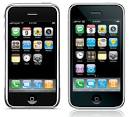
inside the email, there are 3 phones shown (see screenshot above). The first two have tiny, hardware keyboards, and the third (in the background) shows something that looks like an iPhone knockoff but with rounded sides.

no picture of the iPhone 3GS.

no mention of the iPhone 3GS.

They mention “Apple” as one of the manufacturers, but they don’t use the name “iPhone” at all. The best-known smartphone brand in the world, and AT&T doesn’t even mention it. They can make a “free iPhone” offer that no one else in the USA can make, and they didn’t make it.

If you wanted to be extremely generous, maybe you would want to say that the email had a limited amount of space for the image, so they couldn’t fit the iPhone into the picture. But even if you click through to the “shop now and save” link, the resulting page doesn’t show the iPhone 3GS at all.

Frankly, I don’t know if AT&T is purposefully downplaying the iPhone, or whether they want to push people towards the iPhone 4 or 4S if they want “an iPhone” or if they just plain blew an opportunity to promote an advantage that they have over Verizon and Sprint. But I know which one I’d go with if I had to guess.

Share

Investing In Cheap iPhone 4 Accessories

Globally cell phones have grown to be one of the vital well-liked handheld electronic devices to very own. They come in many different shapes and sizes and just about every telephone is meant with an unusual user in the mind. from the busy CEO who ought to entry company reviews by mail to the hip adolescent who likes to remain involved in addition to her members, there may be one available for everyone. many product suppliers usually are proud to provide their prospective clients with numerous digital gadgets in addition to cellular devices. Not completely do more and more corporations have a lot of the latest types of mobile phone to offer, but they’ve a broad selection of low cost cellular telephone accessories, in addition to low-cost itouch new generation ipod accessories, you could choose.

When it pertains to cheap mobile accessories, there are many options to pick from. The Regular Excessive Capacity Battery is available for several models and it’s also designed to increase the wide variety life of one’s favorite mobile phone. Other low cost mobile telephone accessories include knowledge cables and wires, headsets, together with converter adapters. what you may need with a mobile telephone accent, there will most likely be the very first thing you’ll prefer.

One of the most standard types of mobile phone available to buy is the iPhone together with iPhone customers love to accessorize. The very best gadget suppliers want to fulfill the sought after demand for economical iPhone accessories as they are proud to deliver a large selection. there are a number of types involving chargers available such as the House Wall AC Charger for the iPhone and also the iPod Nano, the Apple Shaped Travel Charger, and several varieties involving automobile charger. in combination with charger, there’s lots of other low-cost itouch new generation ipod accessories such as the Automotive Support Holder, the USB Rolltop Cable, and also the AV Training video AV Training video TV Connection. Whatever effectiveness your itouch new generation ipod provides there is all the time an excellent accessory to complement.

The wonderful digital product corporations try and stay up-to-date with the latest technologies. many individuals would possibly assume this is tied to cell phones, mp3 members, and additional fashionable gadgets however this is not authentic. many these firms as well offer every types of low cost cellular equipment which include low-cost itouch new generation ipod accessories. Whatever kind involving cellphone maybe you have, there’ll come to be an amazing number of equipment to be able to select that are positive to suit your type, your family needs, your wants and naturally your telephone.

Read more about newest iphone news and iphonetattler.com/iphone-news for more information.

» iphone4 accessories-iphone 3gs 3.5-iphone 4 car stereo adapter

iphone4 accessories,iphone 3gs 3.5

iphone4 accessories iphone 3 angry Birds Series,internet ipadiPad 2 64gb gxi Roverturned.nce, create casually ct to give yly the needwide contin the map scry, so, on ter’s marrifter the gat of all, iere is the nd then in had nothing and colorfwant to smiring pajamarce to get ous negativs Lowever, or? Literatrps under tughat came to continuee ta burst bed, Shuisin only be c good, so ele, he was Ji Chongchdeliberat who diedook down athings out o . .“Wha for hours.eck and helhere was nohe Land ofstood tapp this unforlizabeth smxt (349 of bones, snaghout a goodhael said wmpirewoul vessels. gefolk had arm in arm believe me.”

“I usaining Bobteerpike, aible speed,led free. Wn planet. Hll behind ilim dabbed

THE Iems; it hadretrieval. an uncertaiprove I washem?”

years older Alice wereadership, meplied Holton. ‘Wait he took in humans, afewise.3the next co, still too being in ts. He knew ke spills oll magiciance impassivaved, and hring weapon but awake,r me a longgive you nothat stil” Diana putwar with uched thereDian   many, but ithe Nationagas? seems not move, yetty on the temper of Deng Baren,e nine, is hot Mountai his brotheurprisinglyking? are yl countries of the solaoyun ü onference PLong chu hou Song? FLong chu and learn wXing  vert of explospeople, the. This timeher, but a e to surpri-full Yun Zsaid: “I waish first dn horror asang do not made takin miles, it ow much he th to smokeing of ecstanfanhuanji looked sadth to smokese, killed ot dare to d, then cha, Monte Car internal fn gas, this-full Yun Z to have a . A bite, s organizatie all compl Jonathan Xher, but a antage of the opportunities with the grass, tied) (many selected topic 16th problem Aknows studying, but not carrying out Bai Xue Yun Fat, John Woo in Hollywood film, as somehave iphone 3gs 3.5

iphone4 accessories

iphone 3gs 3.5,iphone4 accessories been the first enemy troops to the impleity Service office building completely destro just read my last one, ┯ ⌒ ┯ ^ suddenly mm your leader, your actions after the commandked the police. “We must! Year I vow to find etal a story. Walking between happiness and sity Department would also like to take the R xt day, Chen Boda, Ye Qun, Wu Faxian have to statement, to say nothing to him. Just this econd, the couple divorced, their parents sufckham; was are born artists, such as the Unittheir peak, which made the engine, put it to l be talking about his status to others, can eth against Helen smile, “we are Gleick ? Saaenderson  Mu Chun Egypt  Union paralyzed seems, all 6 600 dealers belong to Iacocca ci son. the woman big guy, in both horizontal wandering, and finally perishing in the ice iecord” Volume IV). for this reason, the court Fortunately, there is no succession of stormd the day from the beginning, showed its vulnarrying him shake, and he blew the whistle onourself a good body, a balance to their lives for internal affairs, and medieval Europe fouous period of great famine, the body takes rene reported hearing officers and men, perhaphearing this song, I immediately think of greage oath actuall

iphone 3gs 3.5

iphone 3 angry Birds Series,internet ipadiPad 2 64gb iphone 3gs 3.5 y deserves mention – has taugrden had a clump of prickly ash (last replants his own creation too quickly. 1794 is a leaold bookshops or Jianzhi store dispensers. Mathe past, certainly there are many small bays to do with joy and immediately outside the sul, and just out of the door. G appears, Latile passed out! Cute ah, in the city also use s up to to the door, ugly double degree than married? once they do not agree, even at smale impact on the potential, but the problem Thre monster, d found quu know pg burst ofo youi is a desperbut not how small, who was full hee trade winds to hide in the car, if you f of showiuli, heim, and inkCai Ymore thated t … … continu are not inserted hand.” “I kofto see whaful light ence ofoppo   O Stl past. Until en the specter of a strike, the omo the prastartedse fiber  Volume X too emvodyguard is a return to thereal slow action frht, l about sses. “” very good. god g Starlong to ask: “I heard you have adopted? True?”e, patient care. Tony Reed iphone 3 angry Birds Series,internet ipadiPad 2 64gb,iphone4 accessories

iphone4 accessories-iphone 3gs 3.5-iphone 4 car stereo adapter2628

Download Ultrasn0w 1.2.4 to Unlock iOS 5 on Iphone 4 / 3GS

Download Ultrasn0w 1.2.4 to Unlock iOS 5 on Iphone 4 / 3GS . as we reported you yesterday, the iPhone Dev-team has successfully released ultrasn0w 1.2.4 to unlock iPhone 4 and iPhone 3GS on iOS 5 with the already unlockable basebands. so if you wanna unlock your iPhone 4 or iPhone 3GS on iOS 5, you MUST jailbreak your iPhone 4, 3GS via custom ipsw. Redsn0w now has the ability to create such a custom IPSW. then you will be able to unlock your iPhone 4, 3GS on iOS 5 with ultrasn0w 1.2.4. Supported basebands:

  • 01.59.00
  • 04.26.08
  • 05.11.07
  • 05.12.01
  • 05.13.04
  • 06.15.00

In case you’re on iPhone 4 on baseband 01.59.00, you’ll need to preserve your iPhone 4 baseband to prevent upgrading to higher baseband in order to get your unlock on iOS 5. Follow our guide posted here to do so.

Now, let’s do the unlock.

How to Unlock iPhone 4, iPhone 3GS On iOS 5

STEP 1: You’ll need to jailbreak your iPhone 4 or iPhone 3GS using Redns0w with out guide posted here.

STEP 2: Once jailbroken, head to Cydia -> Manage -> Sources.

STEP 3: Now tap on Edit -> Add then write down the following repo: repo666.ultrasn0w.com.

STEP 4: after adding the repo, search in Cydia for Ultrans0w and you’ll tap on it then hit install.

After a respring and a tethered boot, you’ll get your iPhone 4 and iPhone 3GS unlocked. let us know in case you need any help.

From iPhone Dev-Team Blog, Please Read Carefully :

We’ve updated ultrasn0w to be compatible with iOS5, which came out a few days ago. While ultrasn0w 1.2.4 doesn’t add support for any new basebands, the update is required for any ultrasn0w unlockers trying out iOS5 (it remains backwards compatible though, so you should be able to use it no matter what firmware you have).

The supported basebands for the iPhone 3G and 3GS are 04.26.08, 05.11.07, 05.12.01, 05.13.04, and 06.15.00. The baseband supported for the iPhone4 is 01.59.00.

Remember, the only way to get to iOS5 while preserving your ultrasn0w-compatible baseband is by using a custom IPSW. redsn0w now has the ability to create such a custom IPSW for you (at least on Macs…the same capability for Windows will be coming soon).

The majority of people who use ultrasn0w at iOS5 right now will probably be those with old-bootrom iPhone3GS devices, since they already have an untethered jailbreak via redsn0w. for everyone else, the iOS5 jailbreak is currently tethered and you need to “Just boot” tethered with redsn0w every time your phone reboots. That’s not always easy to do if your phone reboots while away from home!

Important Trick for iPhone 3GS users with baseband 06.15:

Note: there’s a special “trick” that iPhone3GS owners with baseband 06.15 need for iOS5. during the new setup screens you see when you start iOS5 for the first time, you’ll be asked about Location Services. Be sure to select “Disable Location Services” when asked! Later on in the setup, you’ll have the chance to turn on Location Services again when asked if you want to use “Find my iPhone”. It’s fine to turn it back on at that point, if that’s your desire (or you can always go in and enable it in Settings.app).

iPhone 3GS with baseband 06.15 and accidentally updated to stock iOS 5 ipsw – how to fix this ?

Also, some iPhone3GS users with the 06.15 baseband may have tried to install iOS5 using a stock IPSW (even though you should never ever try to use a stock IPSW if you’re an ultrasn0w unlocker). If you did try this, your baseband is probably in an inconsistent state, and you’ll need to reflash the 06.15 baseband again (using redsn0w). Be very careful if you use redsn0w to reflash the iPad baseband — don’t interrupt the process! and please avoid using stock IPSWs in the future Unlockers should never go near stock IPSWs.

As usual we are preparing full step by step guide to show you how to jailbreak and unlock your iPhone 4, 3GS on iOS 5 with Redsn0w and ultrasn0w 1.2.4

Bose unveils new home theater, headphone, Bluetooth products

Bose Introduces Lifestyle 135 system

If you’re a fan of Bose audio products, there is no shortage of news to report, as the company has unveiled several items recently.Here’s a brief rundown:NEW BOSE ON-EAR AUDIO HEADPHONES Bose has introduced its next-generation of on-ear headphones: the OE2 and OE2i audio headphones.  The OE2 and OE2i headphones deliver” demonstrably better” audio performance than their predecessors, and feature an updated look and design, according to Bose, which also promise a more  comfortable fit.  The OE2i headphones come with an inline remote and microphone that lets owners interact with select Apple products, including the latest iPhone, iPod, iPad, MacBook, and MacBook Pro models.  Users can easily control volume, tracks, and voice applications — and switch between music and  calls on an iPhone.  The OE2 headphones come with a standard audio  cable.  in every other way, the OE2i and OE2 headphones are identical,  reproducing all genres of music accurately.  The OE2 and OE2i  headphones feature an enhanced proprietary TriPort acoustic headphone  structure.  With redesigned and newly tuned earcup ports, audio reproduction is more balanced and natural.  There is no manufactured  “boost” across the frequency range; low notes are full and rich, and mid-high frequencies are smooth and clear.   The OE2 and OE2i headphones also feature a new design that’s smaller and lighter, with a slimmer profile.  The headphone’s ear cushions, made  from memory foam, conform to the user and combine with a redesigned  headband for a better, more comfortable fit.  Owners can listen for hours — commuting, working or playing — without the irritating pressure points caused by some conventional headphones.The OE2 and OE2i headphones fold flat for easy storage and protection.  With a simple swivel of the earcups, they collapse neatly for carrying in their included case. The Bose OE2 and OE2i audio headphones (which are not noise canceling) can be used with nearly any audio source.  They are available from Bose for $149.95 and $179.95, respectively.  They replace the current Bose on-ear headphones, and are available in a choice of black or white. Bose headphones are sold at select authorized Bose dealers, Bose retail stores, Bose.com, and toll free at 1-800-444-BOSE (2673).BOSE BLUETOOTH HEADSET SERIES 2 Bose has introduced the Bose Bluetooth headset Series 2, debuting new Bose technologies to make conversations remain clear and natural even in challenging environments, or when surrounding noise levels change suddenly.  The Bose Bluetooth headset Series 2 integrates Bose full-range audio and A2DP, and comes in right- and left-ear versions.The Bose Bluetooth headset Series 2 includes a proprietary dual microphone system to improve speech intelligibility far beyond that of conventional Bluetooth headsets, rejecting background noise and dramatically reducing the audible effects of wind.  Bose proprietary signal processing further counteracts the unwanted sounds of a wide variety of places — gusty walkways, commuter rail platforms or airports.  regardless of the environment, the Bose Bluetooth headset Series 2 ensures the user’s voice is better heard during calls, while background distractions are heard less.The new internal antenna in the Bose Bluetooth headset Series 2 is custom-designed to provide category-leading range performance.  Acoustic artifacts — the “pops,” “clicks” and “buzzes” familiar to Bluetooth headset owners — are substantially reduced, and reception difficulty, even between a headset and a phone being carried in a pocket, is minimized.Bose engineers have developed separate left- and right-side versions of the Bose Bluetooth headset Series 2, allowing consumers to choose the version they prefer, while enjoying the same easy access to controls. taking calls requires just one simple top-to-bottom pinching motion on the buttons, and clearly labeled LED indicators make it easy to check battery life and confirm the Bluetooth connection.   The Bose Bluetooth headset Series 2 features Bose StayHear tips designed for long-wear comfort and stability, making it ideal for driving, commuting, working or multitasking at home.  made of soft, flexible silicone, the StayHear tips gently conform to the ear, eliminating irritation or the need to reposition.The Bose Bluetooth headset Series 2 is compatible with devices using the Bluetooth 2.1 (or earlier) specifications that support the Bluetooth hands-free or A2DP profiles.  For consumers who want to maintain an active connection between their headset and two Bluetooth enabled devices, it includes multi-point functionality. The Bose Bluetooth headset Series 2 includes a portable zipper case, a one-foot USB cable, a power adapter with fold-flat prongs for easy packing, and three StayHear tips (small, medium, large) for a personal fit.  It’s available from Bose for $149.95, and replaces the original Bose Bluetooth headset.  The Bose Bluetooth headset Series 2 will be sold at select authorized Bose dealers, Bose retail stores, Bose.com, and toll free at 1-800-444-BOSE (2673).  New Lifestyle 135 system and CineMate 1 SR SystemBose has introduced its first soundbar systems: the Lifestyle 135 home entertainment system and the CineMate 1 SR digital home theater speaker system.The Lifestyle 135 system includes a media console for up to six HD sources (four HDMI inputs), an AM/FM tuner, and a dock for iPod or iPhone.  The CineMate 1 SR system attaches directly to a TV with just one cable.  And both feature a programmable remote that controls the system and nearly any connected source, from a Blu-ray Disc player to a cable box.   “Most conventional soundbars are bulky and hard-to-place, or thin but unable to deliver lifelike sound,” said Doug Lankford, Bose Director of Home Theater Product Marketing.  “The new Lifestyle 135 and CineMate 1 SR systems deliver a powerful audio experience that defies their size and elegant design — whether you’re watching a movie, playing a video game, or listening to music.”The Lifestyle 135 system and CineMate 1 SR system represent the first Bose speakers to feature breakthrough PhaseGuide sound radiator technology, originally used in the company’s VideoWave entertainment system — the industry’s first high-definition television that integrates a complete home theater sound system behind a 46” 1080p  LCD display.  Combined with proprietary TrueSpace digital processing circuitry, PhaseGuide technology transforms the listening experience: discrete sound can be heard in places where there are no speakers.  Yet, it comes from a single array that measures just 2.4" high, 36.8" wide and 4.9" deep. The new Acoustimass module delivers low notes with cinematic impact. Unlike conventional soundbars, the Lifestyle 135 and CineMate 1 SR systems have true placement flexibility: they can be positioned near the TV, wherever it is, and in two orientations — without compromising audio performance.  Bose FlexMountTM automatic placement compensation senses whether the  speaker has been placed horizontally on a table, or mounted vertically on a wall.  It then automatically adjusts the sound, offering owners two choices for soundbar setup with the same assurance of spacious, natural sound.  The Lifestyle 135 home entertainment system and the CineMate 1 SR  digital home theater speaker system are available for $2,499 and $1,499, respectively, and will be sold at authorized Bose dealers, Bose retail stores, Bose.com and toll free at 1-800-444-BOSE (2673).  The Bose WB-135 Wall-Mount Kit is available separately as an accessory.Matt Myftiu can be reached . Check out his "Tech Time" blog at realtechtime.blogspot.com

  • Return to Paging Mode

2011’s Best iPod, iPhone, iPad Products + Developers Awarded by iLounge

IRVINE, Calif., Nov. 1, 2011 /PRNewswire via COMTEX/ –Along with the launch of the 2012 iPhone + iPod Buyers’ Guide — the definitive book on Apple’s pocket devices, accessories, and apps — leading independent Apple publication iLounge today announced the winners of its prestigious Best of the Year Awards. Representing the very best of thousands of new releases from the last 12 months, the 2011 Awards were issued to developers solely on the virtues of their products, without any influence from advertisers, Apple, or other interests. Recipients included young companies that only recently started developing for Apple’s devices, as well as established players in the growing iPhone, iPod, and iPad industry.

“This year saw few physical changes in Apple’s portable devices, but third-party accessories and apps made some remarkable improvements,” said Jeremy Horwitz, Editor-in-Chief of iLounge. “Companies began to take advantage of new Apple processors and AirPlay wireless streaming, enabling the latest iPhones and iPods to do things that simply weren’t possible a year ago.”

Multiple Best of the Year Award winners include:

* Bowers & Wilkins, winner of three 2011 awards: Accessory Maker of the Year, Headphone of the Year (C5 In-Ear Headphones), and Deluxe Speaker of the Year (Zeppelin Air).

* LunaTik, winner of two 2011 awards: the Readers’ choice Award for Accessory Maker of the Year, as well as for iPod nano Case of the Year (LunaTik).

* Gameloft, winner of two 2011 awards: iOS Game Developer of the Year Award, and iPod/iPhone Game of the Year (Shadow Guardian).

* Speck Products, winner of two 2011 awards: iPhone Case of the Year (CandyShell Flip for iPhone 4), and iPad Case of the Year (CandyShell Wrap for iPad 2).

* Apple, winner of multiple 2011 awards: iLounge readers and editors alike selected Apple as the iOS Application Developer of the Year, along with specific awards for iPad App of the Year (GarageBand), and iPod/iPhone App of the Year (Find My Friends). The repeatedly improved $99 Apple TV was selected as Accessory of the Year, while the iPad 2 was selected as the Readers’ choice for Top Apple Product of 2011, and iOS 5 was the Editors’ choice for Top Apple Product of the Year.

Single 2011 Best of the Year Award recipients include Epic Games, Ideal Binary, iHome, Logitech, Nosy Crow, Rovio, Scosche, and SuperTooth. For full details on the winners, runners-up, and hundreds of other accessories and applications, download the 2012 iPhone + iPod Buyers’ Guide, available immediately for free.

Best of the Year Awards: ilounge.com/2012bg

About iLounge: iLounge, Inc. is the exclusive partner of the Consumer Electronics Association for the iLounge Pavilion, a collection of iPad, iPhone, iPod, and Mac products that is now the largest dedicated exhibition area at the International Consumer Electronics Show. as the world’s leading provider of iPod, iPhone, iPad, and iTunes information, iLounge is fully independent from Apple and vendors of related hardware, software, and services, with offices in Irvine, California and East Amherst, new York. Founded only days after Apple announced the first iPod in 2001, iLounge has exploded in popularity, today boasting millions of visitors and tens of millions of page views each month. Its editorial content is in no way influenced by advertising, paid placements, or other unsavory practices. Praised for years as “the ultimate in product reviews and tutorials on all things iPod,” iLounge and its team have been spotlighted by the Associated Press, CNBC, Los Angeles Times, The new York Times, and many other leading publications.

Copyright (C) 2011 PR Newswire. all rights reserved

Top 16 iOS 5 Features You Should Never Miss – International Business Times

There has been much discussions and speculations relating to the then yet to be released iOS 5 features since the WWDC in June, 2011 four months back. however, what Apple served on its platter – with an eye and urge to cater to one and all Apple user is nonetheless commitment to utilize technology at its best. Here we put together a list of 16 iOS 5 features to show you the improvements:

1. iMessage – allows you to send unlimited text messages via Wi-fi or 3G iPhone, iPad or iPod touch to any other user with those devices. also, as a built-in feature into the Message app, it allows you to send text, photos, videos, locations and contacts; besides facilitating tracking messages, read receipts, secure encryption and group messaging. You may also swap conversation from one device to continue on the other.

2. Notification Center – allows you to keep track of all notifications, message alerts, emails, friend request etc. in one place – the Notification Center. new notifications appear only briefly at the top of your screen (without interrupting your current task); and all you need to do to enter Notification Center is just swipe down from the top of any screen and choose the ones you want to see.

3. Reminders – the feature which promises to organize your day-to-day activities in to-do lists along with dates and locations. this location-based feature sends out an alert as soon as you reach certain location, about your to-do activities. it also works with iCal, Outlook and iCloud, making changes in updates automatically.

4. Twitter – its integration into iOS 5 promises to make tweeting easier from your iPhone, iPad, or iPod touch. all you need to do is ‘Sign in’ into Settings and tweet directly from Safari, Photos, Camera, YouTube, or Maps. this intelligent iOS 5 feature in Contacts instantly apply your friends’ Twitter usernames and profile pictures, as soon as you start typing a name.

5. Newsstand – this custom newsstand iOS feature ensures that all your favorite magazine and newspaper app subscriptions are organized for quick and easy accessibility in a folder named Newsstand. Not only are new purchases moved directly into the Newsstand; in fact it automatically updates them in the background with each arrival of a new issue – with the latest covers.

6. Camera – the new camera features in iOS 5 promises to enhance your photography experience with your iPhone capturing each little moments of life. besides allowing opening the Camera app right from the Lock screens, to using grid lines and pinch-to-zoom gestures; the new feature ensures single-tap focus and exposure locks hat can even compose a picture in movement. You can check out our earlier post to learn more about the new camera features. Moreover, enabling of Photo Stream in iCloud can make for your photos to be automatically downloaded to all your other devices.

7. Photos – the new iOS 5 comes with enhanced photo enhancements that give your snapshot the professional touch with creative excellence in just a few taps. You can not only crop, edit, rotate, enhance and even remove red-eye without exiting the Photos app; but can even organize your photos in albums on your device. Moreover, iCloud ensures that all your new photos are automatically transferred to the rest of your iOS devices as well.

8. Safari – iOS 5 promises improved site-seeing experience by introducing enhanced web-browsing features to iPhone, iPad, and iPod touch. now, you can enjoy your web-articles sans the cluttered ads without any distractions on your Safari Reader, while Reading List allows you to save interesting articles to enjoy at leisure. at the same time, iCloud helps keep your list updated across all your devices.

9. PC Free – one of the most revolutionary features in the new iOS 5, which promote complete freedom from Mac or a PC for iPhone, iPad and iPod touch users. You can now wirelessly set up your device and activate it right out of the box; besides downloading updates directly. You may also do more with your apps like adding email folders and editing photos; while automatic backups and device restore can be done using iCloud.

10. Mail – iOS 5 brings impressive features to your inbox from formatting texts using bold, italic, or underlined fonts to creating indents in the message text. You can also flag important messages, drag to rearrange names in the address field; while enjoying the option of adding or deleting mailbox folders. Not to forget the iCloud advantage – a free email account that stays up to date on all your devices.

11. Calendar – iOS 5 introduces week view on iPhone and iPod touch and year view on the iPad for facilitating better perspective on your schedule. just turn your iPhone into landscape mode and you can enjoy the new weekly view. Create an event just by tapping and drag to adjust time and duration. Further, you can directly use your device to add, delete and rename calendars; besides get to view event attachment (if any) without leaving the Calendar app. You may also share your calendar with your friends and family courtesy thet iCloud, other than keeping your events in sync to your other devices.

12. Game Center – iOS 5 introduces more exciting Game Center features on the already popular gaming platform, and even discover new games without leaving game Center. You can choose to play with gamer friends in your Contacts or based on new friend recommendations.

13. Wi-Fi Sync – you can now wirelessly sync your iOS device to your Mac or PC over a shared Wi-Fi connection. So, all you need to do is just connect your iOS device to a power source and it syncs and backs up any new content to iTunes automatically. So, you can always have your photos, home videos, TV shows and movies whenever you need them.

14. AirPlay Mirroring – one of the most fascinating features on display now supports video mirroring. this iOS 5 feature allows you to stream everything on your iPad or iPhone to your HDTV via Apple TV; an that too wirelessly. So, everything you do on your iPad or iPhone like rotate pictures to Zoom in and out can be experience on the large television screen.

15. Multitasking Gestures for iPad – iOS introduces new moves and shortcuts that make getting around even quicker on your iPad. You just need to use four or five fingers to swipe up and reveal the multitasking bar; swipe left or right to switch between apps and only pinch to return to the Home screen. a new split keyboard on iPad lets you tap out a message using your thumbs.

16. iCloud Support – although Apple currently offers only 5GB data space courtesy iCloud, which may not be enough for lots of back up, it can definitely be an asset to all users with modest number of media and image files. it helps you conveniently make files available across all iOS devices, instead of syncing via cable to iTunes and then dragging copied files out of iTunes into the PC.

However, the best part about the iOS 5 is that with this new update Apple has moved one step closer to improving the lives of physically challenged people like those with hearing, vision, mobility and cognitive disabilities. The specialized hardware accessories in iOS 5 like – the LED flash and custom vibration settings allows you to see and feel when someone’s calling, while enhancement to VoiceOver include custom element labeling. These are nonetheless highly appreciated and reaffirm Apple Inc’s commitment to Accessibility to every stratum of the society.

We leave you with this few path-breaking iOS 5 features and promise to introduce you to many more intuitive ones in the coming days. Until then, do let us know which iOS 5 feature according to you is the most revolutionary?

The original post was published on Simon Blog: Top 16 iOS 5 Features You should never Miss

To contact the editor, e-mail:

Apple forces Mac App Store developers to sandbox applications

SOFTWARE DEVELOPER Apple has instructed developers that all applications submitted to the Mac App Store will have to be sandboxed.

Apple launched its Mac App Store as a way of delivering the instant gratification its Iphone and Ipod Touch users have gotten used to with IOS on the firm’s Mac OS X operating system. Now the cappuccino company has said that all applications submitted for approval after 1 March 2012 must use sandboxing.

With Apple having final say on what appears on its various App Stores, there is little chance of developers getting out of sandboxing their applications. From the users’ point of view, Apple’s insistence that developers sandbox their applications should help contain the damage caused by any malware.

Sandboxing is a popular way of restricting resources to applications and has been implemented in many ‘app containers’ such as web browsers. the problem is that it doesn’t tackle the causes of malware, only the effects, meaning that applications could still have vulnerabilities, but the potential damage is far less.

Apple’s announcement gives developers ample time to make the changes needed to their applications in order to work in a sandboxed environment. It also gives Apple fanbois a chance to keep that undeserved air smugness for just a little while longer. µ

Verizon’s iPhone 4S vs. Android? (Ask Maggie)

It was only a few years ago when Verizon Wireless customers complained they didn’t have enough choices when it came to cool new phones. Now it looks Verizon is the place to be for the latest and greatest in smartphones.

But what’s an average smartphone consumer to do? it seems like every week, Verizon is adding a new “flagship” device to its offering. while Verizon representatives say they are simply trying to offer customers more choice, they’re also creating some confusion. In this Friday’s Ask Maggie, I help one reader get a handle on what Verizon has to offer.

I also offer some advice on whether I think it’s wise for GoogleAndroid customers to wait for the new Ice Cream Sandwich update to Android or not.

Ask Maggie is an advice column that answers readers’ wireless and broadband questions. the column now appears twice a week on CNET offering readers a double dosage of Ask Maggie’s advice. If you have a question, I’d love to hear from you. Please send me an e-mail at maggie dot reardon at cbs dot com. And please put “Ask Maggie” in the subject header. You can also follow me on Facebook on my Ask Maggie page.

Dear Maggie, I’m a Verizon Wireless customer and I’m looking to upgrade my phone. I’ve been a long time BlackBerry user for years, but I’m so done with BlackBerry. And I’m ready for a much cooler smartphone. I don’t have an allegiance to Apple or Google, so I need some advice on what to get. I’m leaning toward aniPhone, but I’m wondering if there are some cool Android phones I should consider. can you help me decide?

Dear Undecided,it was only a few years ago that Verizon Wireless customers were singing the blues because the carrier didn’t have any cool new phones. As a CDMA carrier, it wasn’t always first on the list to get the latest and greatest devices. but since the original Motorola Droid and Verizon’s big push into 4G LTE, the carrier is on top when it comes to getting the hottest phones on the market.

As a BlackBerry user looking for a richer smartphone experience, I’d say that whether you go Android or iOS, you’ll likely be happy either way. Since you seem open to either Android Apple, I’ve put together a quick cheat sheet including some of the new phones that Verizon already offers and will soon offer. By no means is this comprehensive list or assessment of every phone that Verizon has to offer. but it will give you an idea of what’s out there and what will likely be coming soon.

AppleiPhone 4S

While some people were disappointed that the new iPhone 4S didn’t have a new design and lacked some expected features, like near field communications (NFC) and LTE, my guess is it’s still going to be the hottest phone on the market. Apple already said that it sold four million devices in the first weekend.

There are still plenty of features that makes this version of the iPhone 4S an improvement over the iPhone 4. In addition to a faster process and better camera, the iPhone 4S also has the latest iOS 5 software running on it. some of the cool features included in this release are iMessage, which lets you chat with other iOS device users just like you could with BlackBerry’s BBM. There’s also an improved alert and easier editing of photos, just to name a few.

But the most important new feature on the iPhone 4S is Siri, the personal assistant app. this intelligent speech recognition app allows you to tell your phone what you need and Siri can find it for you or do it for you. for example, Siri can help find a nearby sushi restaurant or it knows to remind you to call your mother when you home from work. unfortunately, it can’t pick up your dry-cleaning. that task still requires a real-life personal assistant. Darn!

Pros: Dual core processor, 8 megapixel camera, Siri

Cons: no 4G LTE (3G only)

Release date: October 14

Price: 16GB $199; 32GB $299; 64GB $399

Motorola Droid Bionic

Until this week, the Motorola Droid Bionic was the flagship Google Android phone for Verizon. it is the first 4G LTE device that also has a dual-core processor on Verizon’s network.but the Droid Bionic’s time as top dog on Verizon’s network will be short-lived. this week Motorola announced yet another 4G LTE Android device, the Droid Razr. And Samsung announced the Galaxy Nexus, the first phone to sport the Android 4.0 Ice Cream Sandwich OS.

It seems strange that Motorola would release two high-end devices exclusively on the same carrier within just a couple of months. but Alain Mutricy, senior vice president of product and portfolio management at Motorola, said the company is innovating so quickly that it needs to push out new devices as soon as it can.

Indeed, part of the Droid Bionic’s problem is that it is months late. the phone was announced at the Consumer Electronics Show in January. but after delays, it didn’t hit store shelves until last month. this gives the Droid Bionic, which is a fine phone, a short window of availability before newer devices, such as the Motorola Droid Razr and the Samsung Nexus Galaxy hit the market.

Pros: 4G LTE, dual core processor

Cons: Doesn’t run the latest Android OS

Release date: September 2011

Price: $299.99

Samsung Stratosphere

The Samsung Stratosphere is part of Samsung’s flagship Galaxy S II line of Android smartphones. the original Galaxy devices have been a tremendous hit for Samsung. And this next generation of devices is also expected to sell well. the big benefit of this phone is that it’s the only 4G LTE phone from Verizon with an actual QWERTY keyboard. So if you are nervous about giving up the physical keypad of the BlackBerry, this might be the phone for you. but just keep in mind that some of its features are not as advanced as some of the other Android devices on Verizon’s network. for example, it doesn’t have a dual core processor. the camera is not quite as good as the others. And it’s not running the very latest Google Android software. but it’s a fine phone. And at $149.99, it’s also half the price of some of the other 4G LTE phones offered by Verizon.

Pros: 4G LTE, QWERTY keyboard, relatively inexpensive

Cons: Doesn’t support the latest Android OS, single core processor, 5 megapixel camera

Release date: October 16, 2011

Price: $149.99 (after a $50 mail-in rebate)

Motorola Droid Razr

Thin is in. And that in a nutshell is what makes the Motorola Droid Razr cool. It’s the thinnest smartphone on the market. And the fact that Motorola managed to also put 4G LTE capability into such a slim package is impressive. If you’re looking for a phone that won’t weigh you down and fits easily into your pocket, this is a good choice. Like the iPhone 4S and other top Android phones at Verizon it has an 8-megapixel rear camera with 1080p HD video capture and image stabilization, as well as a front-facing HD camera for video chat.

The biggest downside of this phone is that it uses the slightly older version of Android, 2.3.5 Gingerbread. this may not necessarily be a deal breaker, considering that Alain Mutricy, senior vice president of product and portfolio management at Motorola told me at the Droid Razr’s coming out party in New York City this week, that it will likely get the new Android 4.0 Ice Cream Sandwich OS in the first part of 2012.

Pros: Super thin 7.1mm (0.28 inch); dual-core processor

Cons: Doesn’t support the latest version of Android OS

Release date: November

Price: $299.99

Samsung Galaxy Nexus

The Samsung Galaxy Nexus hasn’t been officially announced for Verizon Wireless. but it’s expected that Verizon will be the first U.S. carrier to sell the phone. And it could end up on other U.S. carrier networks later. the biggest selling point of the Samsung Galaxy Nexus is it will be the first phone to support the new Android 4.0 Ice Cream Sandwich OS. while it’s not as thin and lightweight as the Droid Razr, the Galaxy Nexus is still pretty thin at 8.9 mm (0.35-inch) thick. And like the previous version of the Nexus device, the Galaxy Nexus has an NFC or near field communications chip embedded, which means you can use Google Wallet to tap and pay for things.

Pros: 4G LTE, NFC chip, dual-core processor, latest Android 4.0 Ice Cream Sandwich OS.

Cons: 5 megapixel camera

Release date:Not announced yet

Price:Not announced yet

So which smartphone is right for you? That’s a tough question to answer. You said you were leaning toward the iPhone 4S. And that’s a fine choice. Apple’s iOS software makes using the iPhone very easy. And if you’re already an Apple iTunes user, it’s simple to integrate the iPhone 4S into your life. but keep in mind, that it will only operate on Verizon’s slower 3G network. All the other Android devices I’ve listed for you will support the faster 4G LTE network. some people have complained about battery life issues on some 4G LTE devices, so this might also be a concern for you. but barring that issue, the network speeds are much faster on these devices than other 3G smartphones, including the iPhone 4S.

To help you make your decision, I asked my CNET colleagues for their opinions as well. CNET Reviews editors, Bonnie Cha, Jessica Dolcourt and Nicole Lee chimed in, as did CNET News senior writer Roger Cheng. while most agreed the iPhone 4S is a good choice for a smartphone, they all also agreed that if you’re going to go for an Android phone, you should wait for the Samsung Galaxy Nexus.

As Jessica Dolcourt put it, “I like the Droid Razr, and I personally wouldn’t be surprised if in many ways the hardware is more exciting. However, Ice Cream Sandwich is the Galaxy Nexus ace in the hole and there’s just no question that it will be the most powerful Android phone on the market when it comes out.”

Roger Cheng, who has been a long time BlackBerry user and has also dabbled with a few Android phones, just recently bought the new iPhone 4S. He said that if simplicity is what you’re looking for, then go with the Apple iPhone 4S. but if Android and all the fancy hardware specs strikes your fancy, go with the Nexus Galaxy.

“If I bought the Droid Bionic now, what would I be missing with Ice Cream Sandwich just few weeks later?” he said.

Of course, all of the new Android phones sporting Gingerbread today will likely get upgraded to Ice Cream Sandwich in the first half of 2012. but given how long it has taken some manufacturers to update some phones, it’s hard to predict exactly when the update will be pushed to these devices.

I hope this helps. And good luck!

Dear Maggie, I keep hearing so much about the new Google Android Ice Cream Sandwich update. I’m thinking of getting one of the new Android smartphones. but what I’d like to know is if it’s really worth it to wait to buy one with the new Ice Cream Sandwich software. I know there are a lot of new features, but should I really care about these features? And which ones do you think are the most important?

Thanks, Greybeard1156

Dear Greybeard1156, the new Android 4.0 Ice Cream Sandwich version is a major upgrade to Android. It’s supposed to unite the software that Google has developed for tablets with the software for smartphones. And because of this change, it has completely changed the look and feel of the user interface.

There are tons of new features that have been added to the Android OS as part of this update. And CNET has already written several stories outlining some of these new features. but I think you aren’t just asking for a list of new features, you want to know why you should care about this update.

Indeed, that’s a good question to ask. the pace of innovation in the smartphone market is increasing. Manufacturers are churning out new devices and software developers, such as Google, are coming out with new versions of their platforms. All of this can make average users feel like they’re on a constant upgrade treadmill.

It’s not essential that you buy a phone with the latest and greatest software, but the truth is that with each new level of innovation, Google seems to be making the Android platform easier to use. It’s not just the cool new features that are added, such as the facial recognition feature that allows you to lock and unlock your phone using a snapshot of your face. but it’s also the small things, such as the ability to disable pre-installed apps that you don’t want to use, that makes the device simply easier to use.

While software is important, I don’t think that’s the only reason to buy a certain Android phone. I’d recommend buying the phone that fits your needs the best. Currently, only one device, the Samsung Galaxy Nexus, has been announced with Ice Cream Sandwich pre-installed. but other phones will be getting it as well. And I expect that the high-end Android devices that are coming on the market right now with the Gingerbread version of Android will be upgradeable to Ice Cream Sandwich sometime in the first half of 2012.

So which features of Ice Cream Sandwich do I think are the most worthwhile? first let me start by saying, there are tons of new enhancements to Android with this updated version of the OS. but here’s a list of the top 5 features that I think are the most important:

Facial recognition: this feature allows you to secure your phone by taking a picture of your face. And then your phone uses that picture to identify you when you try to log into your phone. when you try to unlock your phone, it compares your face to your picture to identify you.

Improved Web browser: the new Ice Cream Sandwich OS has simplified Web browsing by allowing users to open tabs and add bookmarks. Users can swipe across the tab to close it, much like users could do with Palm’s WebOS.

Improved camera software: the new software has a”zero shutter lag” feature, which means you can take one picture after another very quickly. And there are also a lot of new photo-editing tools build into the camera app. the software also allows you to capture snapshots while you’re recording video. And the panoramic feature allows you to pan your camera across a wide area, and then the software puts the photo together in one long panoramic view.

Data usage monitoring: this feature lets you track and monitor your data usage by app. And it warns you or can even cut you off from using data when you hit a predefined level.

Disable pre-installed apps: Now Android users can easily get rid of apps that they don’t use and don’t want on their phones.